

How to Create a Google Review Link and QR Code for Your Business?
- Kruti Varma /
- 2026-08-29 /
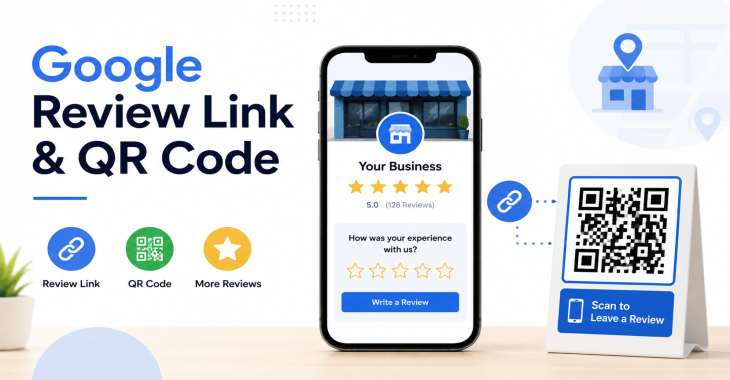
Getting more Google reviews starts with easy access for your customers. A direct review link makes it straightforward for people to leave feedback, and a QR code lets them reach the same link from a mobile device with a quick scan. This guide covers the practical steps to create both a Google review link and a QR code, plus best practices for sharing them.
Two quick goals to keep in mind:
- Make it simple for customers to leave a review.
- Track engagement and adjust where you share the link.
READ MORE: Google Business Profile Reviews: Complete Guide to Getting, Managing & Responding to Reviews
1. Why a direct Google review link matters
Direct links remove friction. Instead of guiding customers to navigate through menus, they land exactly on your review form. The result is higher conversion of curious visitors into reviewers, which helps your business appear more credible and attract more local traffic.
- It reduces steps: one click from a post, email, or card to leaving a review.
- It increases trust: fresh, real reviews build social proof.
- It supports local search: more reviews can improve your local ranking over time.
2. Generate your Google review link
There are a few reliable ways to generate a Google review link. The approach you choose depends on what you have handy and whether you want to customize the message.
2.1 Basic method: direct URL to the review form
1. Find your Place ID:
- Go to the Google Place ID Finder and search for your business.
- Copy the Place ID that corresponds to your listing.
2. Build the URL:
- Use this format: https://search.google.com/local/writereview?placeid=YOUR_PLACE_ID
- Replace YOUR_PLACE_ID with your actual Place ID.
3. Test the link:
- Open it in an incognito window to verify it opens the review form for your business.
Note: This method directs users to the Google Review box for your business, ready for them to write and submit a rating.
2.2 Alternative: link via Google Maps
1. Open your business listing in Google Maps.
2. Click “Share” and copy the link.
3. Shorten if needed, but ensure the link lands on a page where users can leave a review.
Pros and cons:
- Pros: simple and quick to implement, familiar for users.
- Cons: may not open the explicit write-review box on some devices; behavior varies by platform.
2.3 Customizing the message for your link
While you can share the raw link, adding a small call-to-action (CTA) can improve click-throughs. Examples:
- “Love our service? Leave us a quick review: [link]”
- “Help others find us by sharing your experience: [link]”
Keep CTAs short and clear. Avoid long blocks of text that bury the link.
3. Create a Google review QR code
QR codes provide a fast entry point for mobile users. Generating a QR code for your review link is straightforward.
3.1 Choosing a QR code generator
Select a reputable QR code generator that supports:
- URL encoding
- High-contrast output for print
- Optional tracking parameters (UTM) if you want to measure visits
Examples of common options (no endorsements here—choose what you trust):
- Web-based QR code creators
- Mobile apps with QR generation
- Marketing platforms that offer QR code assets
3.2 Generating the QR code
Steps:
1. Paste your Google review URL into the generator.
2. Choose a stable size for print (for example, 2 x 2 inches for business cards, larger for posters).
3. Generate the QR code and download it in vector (SVG) or high-resolution PNG format.
4. If the generator supports it, enable error correction at a high level to ensure readability if the code is damaged or partially obscured.
Tips:
- Use vector formats (SVG) when possible for scalability and clarity.
- Test the code with multiple devices and QR readers.
- Ensure there is sufficient white space around the code to improve scanning reliability.
3.3 Tracking and analytics
If you want to measure how many people scan the QR code and visit the review page:
- Add UTM parameters to the review URL, such as:
- utm_source=qr
- utm_medium=print
- utm_campaign=google_review
- Use a URL builder to keep parameters consistent.
- Check Google Analytics and your other analytics tools to monitor traffic from QR scans.
Note: QR code tracking depends on the underlying URL tracking. The QR itself does not provide analytics; the URL does.
4. Best practices for placing your review link and QR code
Placement decisions affect how often customers engage. Use both digital and physical touchpoints.
4.1 In-store and physical touchpoints
- Place near the checkout counter, receipt, or payment terminal.
- Include on business cards, brochures, and flyers.
- Add to product packaging or service receipts to capture feedback after a transaction.
Tips:
- Use a short, legible CTA near the QR code, like “Scan to leave a review.”
- Ensure the code is large enough to scan from a distance and not damaged by glare or crumple.
4.2 Digital touchpoints
- Email signatures with a short CTA and a link to the review page.
- Post-purchase emails asking for feedback.
- Website pages, especially “Thank you” pages after a purchase or booking.
- Social media posts with a pin or featured link.
4.3 Consistency and timing
- Ask for reviews after a completed transaction or positive interaction.
- Avoid pressing for reviews during negative experiences. If a customer is upset, provide a way to contact support instead.
- Maintain a cadence: periodic prompts can help, but don’t overwhelm customers with requests.
READ MORE: How to Get More Google Reviews: 15 Proven Strategies for Local Businesses
5. Compliance and etiquette
Reviews must be genuine and unbiased. Do not offer incentives in exchange for reviews, as that can violate platform policies and mislead customers. If you respond to reviews, do so professionally and with a focus on resolving issues or thanking customers for positive feedback.
- Do not gate reviews (restrict access in exchange for discounts or rewards).
- Do respond to negative reviews with solutions or apologies where appropriate.
- Be transparent about changes you make based on feedback.
6. How to test and validate your setup
A clean testing process helps ensure a smooth experience for customers.
6.1 Validate the review link
- Open the link in an incognito or private window.
- Confirm it lands on your Google review form for your business.
- Check behavior across devices (desktop vs. mobile).
6.2 Validate the QR code
- Use multiple devices with different scanners to test readability.
- Confirm the code directs to the intended URL with UTM parameters if used.
- Check print quality at different sizes to ensure scan reliability.
6.3 End-to-end testing workflow
- Scan the QR code from a printed piece.
- Open the review form on mobile.
- Complete and submit a test review (only if you have a test workflow with your own account and policies permit).
- Verify analytics show a visit from the QR code source.
7. Examples of effective use
Here are practical layouts you can adapt.
7.1 Card or handout
- Front: QR code at a prominent size with a bold CTA.
- Back: Short message reinforcing how reviews help others. Include the direct link as text for accessibility.
7.2 Receipt or inbox insert
- Small line: “Enjoyed your experience? Leave a review: [link]”
- QR code printed alongside in a corner.
7.3 In-store kiosk or tablet
- Preload the review page in a browser tab.
- Add a visible button labeled “Leave a Review” that opens the review form directly.
8. Common pitfalls and how to avoid them
- Pitfall: A broken or private Google listing
- Remedy: Verify your listing is active and visible to the public. Update any private or restricted access settings.
- Pitfall: QR code that is hard to scan
- Remedy: Use high-contrast colors, adequate sizing, and proper white space around the code.
- Pitfall: Over-reliance on one channel
- Remedy: Use a mix of digital and physical placements to reach more customers.
READ MORE: Why Are My Google Business Profile Reviews Not Showing? 10 Reasons & Fixes
9. Maintenance and updates
- Periodically review the landing page behavior to ensure the review form still opens correctly.
- Refresh QR codes if you change the target URL or campaign parameters.
- Update printed materials when your branding changes or when you run seasonal prompts.
10. Step-by-step checklist
[1] Locate your Google Place ID or confirm your Maps listing.
[2] Build the direct Google review URL.
[3] Test the review URL in multiple environments.
[4] Generate a QR code for the URL with tracking parameters if needed.
[5] Download the QR code in a scalable format (SVG preferred).
[6] Test the QR code across devices and print sizes.
[7] Choose strategic placements for both digital and physical assets.
[8] Monitor analytics and adjust as needed.
[9] Ensure compliance with review platform policies and local regulations.
11. Troubleshooting quick references
- Link not opening the review form: re-check Place ID and URL format.
- QR code not scanning: increase size, reduce complexity, or adjust contrast.
- No analytics data: confirm UTM parameters are correctly appended and analytics goals are set up to capture them.
12. Alternatives and enhancements
If the direct link isn’t ideal for your situation, consider:
- A landing page on your website with a styled CTA button that links to the Google review form.
- A short branded URL (via a URL shortener) that redirects to the review form, helping with memory and sharing.
Limitations to be aware of:
- Google’s interface and behavior can change, so periodically verify the URL format and placement recommendations.
- Review flows may differ by device and operating system, so always test across common configurations.
13. Measuring impact
- Track the number of new reviews over time to gauge engagement.
- Monitor click-throughs from digital shares and scans from QR codes.
- Correlate review activity with business outcomes like increased leads or sales, while avoiding over-attributing results to reviews alone.
READ MORE: Google Business Profile Optimization Guide (2026): Proven Tips to Rank #1 on Google Maps
Takeaways:
- A direct Google review link paired with a QR code simplifies leaving a review for customers.
- Proper placement, testing, and tracking improve the likelihood of engagement.
- Adhere to ethical practices and platform guidelines to maintain trust and effectiveness.
Recent Blogs
-
Why Is My Website Page Not Indexed by Google? 12 Reasons & How to Fix It
Posted ::2026-09-24
-
How to Request Indexing of a Website Page on Google?
Posted ::2026-09-19
-
Google Search Console Guide 2026: Complete Beginner’s Guide
Posted ::2026-09-18
-
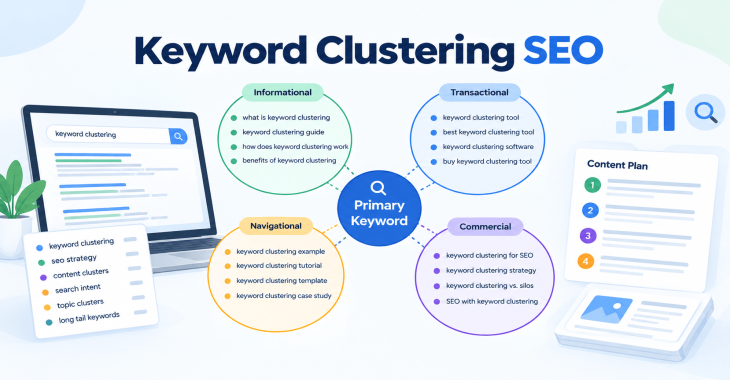
Keyword Clustering SEO: How to Group Keywords for Better Rankings
Posted ::2026-09-12
-
SEO Audit Checklist: 50+ Steps to Audit Your Website
Posted ::2026-09-11


Our FAQ’s
What is digital marketing?
Digital marketing involves marketing to people using Internet-connected electronic devices, namely computers, smartphones and tablets. Digital marketing focuses on channels such as search engines, social media, email, websites and apps to connect with prospects and customers.
What does a digital marketer do?
Digital marketing has evolved to the point where an immense array of specialists consult with brands to develop effective strategies or implement programs. If you’re new to digital marketing, or lack experience or resources, you should consider engaging an experienced and versatile digital marketing consultant.
Would my business benefit from digital marketing?
Definitely. Though companies in many business categories continue to approach digital marketing with skepticism, avoiding digital marketing denies your business access to the media the majority of consumers turn to first and at all hours of the day.
What’s the biggest mistake digital marketers make?
Blowing their own horn. Yes, of course, the primary goal of marketing is to create leads. However, in the age of digital media a brand-centric, salesy approach deflects interest in your company. Make your marketing customer-centric. Second biggest mistake: Far too often, digital marketers start and stop. You need to contribute a steady flow of content to the channels you use.
How often should I update my website?
Websites that go for long periods with no updates and new content are unlikely to perform well or support any useful digital marketing objectives. Though a static website technically qualifies as a website it’s bound to be more than a digital brochure that produces little or no leads.
What do I need to know about mobile?
Mobile phones are the most used technology in the world. Most of your prospects spend the majority of their media time—and hours—using a smartphone. Mobile marketing focuses on mobile strategies like messaging, mobile applications, and mobile websites. A brand that ignores mobile marketing is doomed.
What is content marketing?
Content marketing is the creation and distribution of educational and/or entertaining information assets for the purpose of generating brand awareness, traffic, leads and sales. Marketing content is generally free and does not explicitly promote your brand as an ad would.
What’s involved in creating a content marketing strategy?
A content marketing strategy is a plan for building an audience. Elements of content marketing strategy include establishing objectives, audience personas, a value proposition, content marketing mission statement, a buyer journey map, and plans for creating, promoting and analyzing how content marketing assets and programs perform.
Do I need a blog?
Email, social media, search and other elements of your digital marketing mix will depend on delivering useful content. Though video outlets, podcasts, and media galleries present other options, a blog is by far the most used tactic for distributing marketing content on a channel over which you have complete control.
What content should we create?
There can be no all-encompassing answer to this question except to say you should create content buyers will find relevant and useful. Leading candidates include blog posts, articles, ebooks, infographics, microsites, videos, courses, case studies, newsletters, visuals and various forms of interactive content.
What is SEO?
Search engine optimization (SEO) is the process of using onsite and offsite tactics to help get content presented by a search engine. Done well, the practice increases the quantity and quality of your traffic.
Why is SEO important?
The majority of web traffic is generated by search and those that come by way of search have a greater degree of commercial intent than most other channels.
What is local SEO?
Local SEO is the process of optimizing your online properties to generate traffic from location-based searches. It helps businesses promote products and services to local customers when they need them.
What are keywords?
Keywords are the words and phrases searchers use—usually with search engines—to find relevant pages, images, videos, or any kind of information when looking for answers, knowledge, products, or services. SEO professionals consider keywords and the topics they suggest when optimizing content for search.
What determines search engine rankings?
This question is the source of endless speculation and debate because search engine companies such as Google will not answer it. Experts generally agree rankings are based on relevance and authority, but the factors that determine them are many—and inconsistent. The best way to achieve a high search engine ranking is to create one of the most thorough web pages possible for a specific keyword or topic.
What is PPC?
PPC stands for pay-per-click. Essentially, it’s a way of buying web traffic. Advertisers pay a fee each time one of their ads is clicked. Search engine advertising is the most popular form of PPC, however numerous channels including Facebook now offer PPC ad models.
Why is social media important?
Chances are your audience is active on one or more of the major social networks where billions of people spend time daily. Brands that understand the power of social media marketing and commit resources to it can boost awareness, drive traffic, interact with customers, drive sales, build loyalty, and win advocates.
What is a lead magnet?
A lead magnet is a free offer you make in exchange for an email address (and possibly additional information). The purpose is to inspire prospects to join your email list by offering something of value. Examples include an ebook, guide, report, assessment, cheat sheet, tool, template, webinar, course, or a coupon.
What is a call to action?
A call to action (CTA) is a prompt that instructs the viewer to take a specific action. A call to action is typically written as a command, such as “Buy Now.” In digital marketing a CTA generally takes the form of a button or link.
How long does it take to see results?
Paid digital marketing programs should create results immediately. On the other hand, programs such as content marketing, email list building, and search engine optimization require persistence and patience. You might see some results in a matter of months; however, it’s likely to be six months to a year before you realize some of your traffic and conversion objectives.