

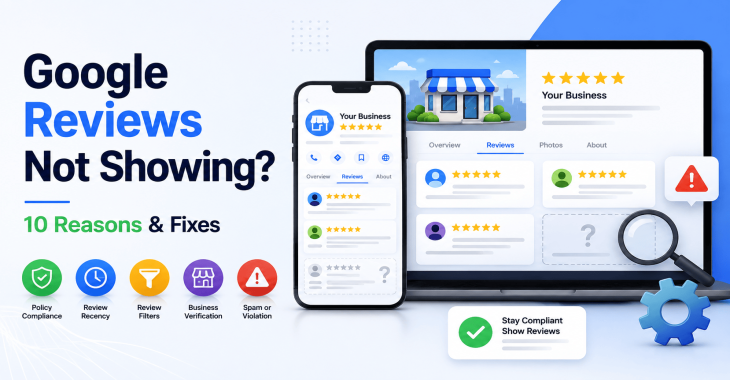
Why Are My Google Business Profile Reviews Not Showing? 10 Reasons & Fixes
- Kruti Varma /
- 2026-08-28 /
Google Business Profile reviews not showing can be frustrating for owners and managers who rely on local visibility. This guide covers common causes and practical fixes, focusing on the keyword: Google Business Profile reviews not showing.
Introduction
Google Business Profile reviews not showing is a symptom of issues across policy, technical setup, and user behavior. By checking each area, you can identify why reviews aren’t appearing and restore consumer trust and social proof on your profile.
Why reviews might not show:
- The review is awaiting moderation or is under policy review.
- The user who left the review is not verified or is posting from an untrusted source.
- The review violates Google’s content policies (spam, conflicts of interest).
- The business profile has incorrect or incomplete information that signals inauthentic activity.
- The review is filtered by Google as part of automatic quality checks.
More common causes include platform changes, API-related issues, and local account anomalies. The following sections break down the top 10 reasons and how to fix them.
READ MORE: Google Business Profile Reviews: Complete Guide to Getting, Managing & Responding to Reviews
1.] Moderation and policy review delays
Moderation gates can delay visibility
- Google sometimes holds reviews for moderation to verify authenticity or to assess potential policy violations.
- If a review is pending, it won’t appear publicly until the review passes moderation.
What to do
- Check the Google Business Profile dashboard for any notices about reviews in moderation.
- If you’re the owner, avoid attempting to post edits or mass responses to bypass moderation.
- Wait a reasonable window (hours to a few days) and monitor for changes.
2.] Unverified or low-trust reviewers
Reviewer verification and trust signals
- Google may suppress reviews from accounts with incomplete profiles or unusual activity.
- Reviews from new accounts or those without a connected Gmail/Google account can be treated with extra scrutiny.
What to do
- Encourage customers to use verified Google accounts to leave reviews.
- Avoid incentivizing reviews, which can trigger policy violations.
- If you notice a pattern of low-trust reviews, document and review your own engagement signals for improvement.
3.] Content policy violations
Policy violations and filter triggers
- Reviews that contain profanity, hate speech, harassment, or false claims may be removed or hidden.
- Reviews alleging illegal activity or fraud can be suppressed.
What to do
- Review your customer interactions to ensure responses are professional and compliant.
- If a legitimate concern is raised, address it publicly and transparently, then encourage a new, compliant review.
- Report suspicious reviews through the Google Business Profile support path if you believe they were unfairly removed or hidden.
4.] Incomplete or inconsistent business information
Invalidation signals from data quality
- Inaccurate business name, address, or phone number (NAP) can trigger trust issues that affect review visibility.
- Mismatched categories, services, or locations across Google services can create signals that reviews are not trustworthy.
What to do
- Ensure NAP is consistent across Google, your website, and third-party listings.
- Update category and attribute accuracy in the Google Business Profile dashboard.
- Regularly audit your listing for inaccuracies and correct them promptly.
5.] Suspension or policy enforcement on the business profile
Profile-level actions
- If Google detects policy violations, it may suspend features, including review posting or visibility.
- A profile suspension can impact the display of new and existing reviews.
What to do
- Review Google’s guidelines for Business Profiles and ensure compliance.
- Submit an appeal or contact support if you believe the suspension is erroneous.
- Make required changes and monitor status until reinstated.
6.] Technical issues with Google services or account connectivity
Platform and API-level hiccups
- Google services sometimes experience outages or degraded performance that temporarily affect review visibility.
- Issues with account ownership transfers or changes to listing ownership can create gaps in review visibility.
What to do
- Check Google’s official status dashboard or trusted outage trackers for any reported incidents.
- If you recently transferred ownership or made changes, confirm all permissions and linkages are correctly updated.
- Re-sync or refresh the listing in the dashboard if available.
READ MORE: Google Business Profile Optimization Guide (2026): Proven Tips to Rank #1 on Google Maps
7.] Duplicate reviews or review filtering
Duplicate content and filtering
- Google may filter out perceived duplicates or reviews that seem repetitive or suspicious.
- Repeated same-user reviews or identical content from multiple sources can be suppressed.
What to do
- If you have control over the source of reviews, avoid duplicate requests.
- Encourage unique, specific feedback that adds value.
- For customers who repost similar content, ensure the timing and content remain distinct.
8.] Local guide status and review caps
Limits on review frequency or scope
- Some platforms apply caps to reviews from a single user within a short period, or for specific business types.
- While Google generally allows ongoing reviews, unusual bursts can be flagged.
What to do
- Ask customers to stagger review submissions over time if you notice clustering.
- Focus on quality and variety of feedback rather than quantity.
- Monitor your profile for any notices about review limits or special conditions.
9.] Errors in the Google My Business dashboard or app
Dashboard and app quirks
- Users may see a discrepancy due to interface glitches, caching, or app-specific delays.
- Changes in the dashboard might not reflect immediately on the public profile.
What to do
- Clear browser cache or try a different device to verify the current state.
- Sign out and back into the Google Business Profile dashboard.
- If the issue persists, contact Google support with precise timestamps and affected locations.
10.] Local SEO and ranking factors indirectly affecting visibility
Broader visibility signals
- Even when a review is published, its visibility may depend on local relevance and ranking signals.
- Reviews from users in close geographic proximity or with strong engagement signals can surface more prominently.
What to do
- Maintain consistent NAP data and positive engagement across platforms.
- Encourage legitimate engagement, such as responses, Q&A, and photos that enhance credibility.
- Use Google Posts, updates, and replies to improve profile vitality, which can influence overall visibility.
READ MORE: How to Rank on Google Maps: Proven Local SEO Strategies
Practical checklist to diagnose Google Business Profile reviews not showing
- Check for moderation status in the Google Business Profile dashboard.
- Verify the reviewer's Google account credibility and activity.
- Review policy compliance for all recent and past reviews.
- Confirm consistent NAP data across all listings and your website.
- Look for any profile suspensions or enforcement notices.
- Check for platform outages or service status updates.
- Inspect the listing for data inconsistencies or category misalignment.
- Test on multiple devices and clear caches to rule out UI issues.
- Review recent changes to ownership or access permissions.
Handling reviews and reputational best practices
- Respond promptly to all reviews, whether good or bad.
- Do not edit or delete customer reviews; respond professionally and address concerns.
- Encourage new reviews that reflect accurate and helpful experiences.
- Avoid incentives or coercion for reviews to stay compliant with policies.
Error-prone scenarios and how to avoid them
- Suspecting that every missing review is a suppression: Verify moderation queues and potential policy flags rather than assuming auto-filtering.
- Assuming all newly published reviews appear instantly: Account for caching, propagation delays, and platform refresh cycles.
- Believing that ownership changes automatically fix visibility: Re-check access controls and verify that the listing is fully re-linked to the correct Google account.
Advanced fixes and workflow suggestions
- Schedule regular audits of NAP data across major platforms and your own site.
- Implement structured data on your site to reinforce business credibility.
- Use Google’s Business Profile support channels to escalate persistent issues with documented examples.
- Maintain a ticket log for review-related incidents, including timestamps, affected locations, and actions taken.
When to escalate
- If a review is clearly missing without moderation notes or policy violations.
- If you notice a sudden drop in total review count or average rating after a specific date.
- If you experience repeated outages or inconsistent behavior across devices and regions.
READ MORE: How to Get More Google Reviews: 15 Proven Strategies for Local Businesses
Takeaways
Google Business Profile reviews not showing can stem from moderation, policy, data quality, or technical causes. Systematic checks across these areas usually reveal the reason and guide fixes. Focus on policy compliance, verified accounts, and data consistency to restore visibility.
Recent Blogs
-
Why Is My Website Page Not Indexed by Google? 12 Reasons & How to Fix It
Posted ::2026-09-24
-
How to Request Indexing of a Website Page on Google?
Posted ::2026-09-19
-
Google Search Console Guide 2026: Complete Beginner’s Guide
Posted ::2026-09-18
-
Keyword Clustering SEO: How to Group Keywords for Better Rankings
Posted ::2026-09-12
-
SEO Audit Checklist: 50+ Steps to Audit Your Website
Posted ::2026-09-11


Our FAQ’s
What is digital marketing?
Digital marketing involves marketing to people using Internet-connected electronic devices, namely computers, smartphones and tablets. Digital marketing focuses on channels such as search engines, social media, email, websites and apps to connect with prospects and customers.
What does a digital marketer do?
Digital marketing has evolved to the point where an immense array of specialists consult with brands to develop effective strategies or implement programs. If you’re new to digital marketing, or lack experience or resources, you should consider engaging an experienced and versatile digital marketing consultant.
Would my business benefit from digital marketing?
Definitely. Though companies in many business categories continue to approach digital marketing with skepticism, avoiding digital marketing denies your business access to the media the majority of consumers turn to first and at all hours of the day.
What’s the biggest mistake digital marketers make?
Blowing their own horn. Yes, of course, the primary goal of marketing is to create leads. However, in the age of digital media a brand-centric, salesy approach deflects interest in your company. Make your marketing customer-centric. Second biggest mistake: Far too often, digital marketers start and stop. You need to contribute a steady flow of content to the channels you use.
How often should I update my website?
Websites that go for long periods with no updates and new content are unlikely to perform well or support any useful digital marketing objectives. Though a static website technically qualifies as a website it’s bound to be more than a digital brochure that produces little or no leads.
What do I need to know about mobile?
Mobile phones are the most used technology in the world. Most of your prospects spend the majority of their media time—and hours—using a smartphone. Mobile marketing focuses on mobile strategies like messaging, mobile applications, and mobile websites. A brand that ignores mobile marketing is doomed.
What is content marketing?
Content marketing is the creation and distribution of educational and/or entertaining information assets for the purpose of generating brand awareness, traffic, leads and sales. Marketing content is generally free and does not explicitly promote your brand as an ad would.
What’s involved in creating a content marketing strategy?
A content marketing strategy is a plan for building an audience. Elements of content marketing strategy include establishing objectives, audience personas, a value proposition, content marketing mission statement, a buyer journey map, and plans for creating, promoting and analyzing how content marketing assets and programs perform.
Do I need a blog?
Email, social media, search and other elements of your digital marketing mix will depend on delivering useful content. Though video outlets, podcasts, and media galleries present other options, a blog is by far the most used tactic for distributing marketing content on a channel over which you have complete control.
What content should we create?
There can be no all-encompassing answer to this question except to say you should create content buyers will find relevant and useful. Leading candidates include blog posts, articles, ebooks, infographics, microsites, videos, courses, case studies, newsletters, visuals and various forms of interactive content.
What is SEO?
Search engine optimization (SEO) is the process of using onsite and offsite tactics to help get content presented by a search engine. Done well, the practice increases the quantity and quality of your traffic.
Why is SEO important?
The majority of web traffic is generated by search and those that come by way of search have a greater degree of commercial intent than most other channels.
What is local SEO?
Local SEO is the process of optimizing your online properties to generate traffic from location-based searches. It helps businesses promote products and services to local customers when they need them.
What are keywords?
Keywords are the words and phrases searchers use—usually with search engines—to find relevant pages, images, videos, or any kind of information when looking for answers, knowledge, products, or services. SEO professionals consider keywords and the topics they suggest when optimizing content for search.
What determines search engine rankings?
This question is the source of endless speculation and debate because search engine companies such as Google will not answer it. Experts generally agree rankings are based on relevance and authority, but the factors that determine them are many—and inconsistent. The best way to achieve a high search engine ranking is to create one of the most thorough web pages possible for a specific keyword or topic.
What is PPC?
PPC stands for pay-per-click. Essentially, it’s a way of buying web traffic. Advertisers pay a fee each time one of their ads is clicked. Search engine advertising is the most popular form of PPC, however numerous channels including Facebook now offer PPC ad models.
Why is social media important?
Chances are your audience is active on one or more of the major social networks where billions of people spend time daily. Brands that understand the power of social media marketing and commit resources to it can boost awareness, drive traffic, interact with customers, drive sales, build loyalty, and win advocates.
What is a lead magnet?
A lead magnet is a free offer you make in exchange for an email address (and possibly additional information). The purpose is to inspire prospects to join your email list by offering something of value. Examples include an ebook, guide, report, assessment, cheat sheet, tool, template, webinar, course, or a coupon.
What is a call to action?
A call to action (CTA) is a prompt that instructs the viewer to take a specific action. A call to action is typically written as a command, such as “Buy Now.” In digital marketing a CTA generally takes the form of a button or link.
How long does it take to see results?
Paid digital marketing programs should create results immediately. On the other hand, programs such as content marketing, email list building, and search engine optimization require persistence and patience. You might see some results in a matter of months; however, it’s likely to be six months to a year before you realize some of your traffic and conversion objectives.