

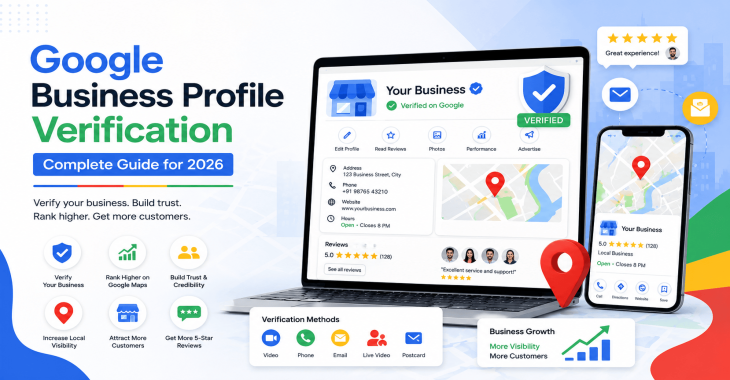
Google Business Profile Verification: Complete Guide for 2026
- Kruti Varma /
- 2026-08-10 /
Google Business Profile Verification is a critical step to get your location, services, and hours into search and Maps. This guide explains the verification pathways, common pitfalls, and best practices to ensure your business starts with a solid presence.
Start with the basics, then move through the process, requirements, and common issues. You’ll learn how verification affects visibility, control, and updates across Google surfaces.
What Google Business Profile Verification covers
Google Business Profile Verification confirms you own or manage a listed business location. Verification unlocks full editing rights, enables updates to hours, posts, and photos, and ensures your profile appears with credible information in Search and Maps to rank on Google map as well.
Key outcomes include:
- Verified ownership for one or more locations
- Ability to publish updates and generate posts
- Trust signals for customers searching for your business
- Access to insights and performance data
Verification methods you may encounter
Google supports several verification methods. Availability varies by country, category, and existing profile data. The main methods are:
- Postcard by mail
- Phone verification
- Email verification
- Instant verification (via linked Google Sites or Google Search Console)
- Video verification (where requested by Google)
Each method has its own steps, timelines, and criteria. The system may suggest the method with the highest likelihood of success based on your profile.
Postcard by mail
This is the traditional method and still common for many businesses. A physical postcard arrives with a code you enter to complete verification.
- Typical timeline: 5–14 days
- Code entry: enter the seven-digit code exactly as shown
- Best practices: ensure the mailing address is accurate and accessible; keep the mailbox staffed
Phone verification
If eligible, you can receive a code via automated call or text. This method is faster but only available to certain profiles.
- Code entry: enter the numeric code promptly
- Eligibility depends on location, category, and existing data
- Consider security: avoid sharing codes with others
Email verification
Some profiles allow verification through a trusted email address tied to the ownership domain.
- Check that the email is accessible and not blocked
- Complete verification by following the link or entering the code provided
Instant verification
This relies on existing verified tools, such as a linked Google Search Console account or a connected Google Site.
- Requires prior ownership of the site or property in Google’s ecosystem
- Process is automated after a match is found
Video verification
Used in specific cases where Google requests additional validation. You’ll submit video footage or perform a live check as guided.
- Purpose: verify physical location, signage, and business operations
- Follow instructions precisely to avoid delays
Preparing for verification: essential prerequisites
Before starting, collect and verify core information to minimize back-and-forth with Google.
- Official business name, address, and phone number (NAP)
- Category relevant to your primary products or services
- Valid business license or registration details (if required by your region)
- High-quality photos of storefront, interior, and products
- Accurate hours, including holiday schedules
- Access to the email and phone numbers associated with the business
If any data is inconsistent, fix it before requesting verification. Consistency across your website, social profiles, and Directory listings improves verification odds.
Step-by-step: how to verify your Google Business Profile
The exact flow depends on your method, but the core steps are similar.
1) Sign in and locate your business
- Use a Google account that will serve as the primary owner
- Find your business in Google Business Profile Manager
2) Choose a verification method
- Review eligibility for postcard, phone, email, instant, or video
- Select the method recommended by Google, if available
3) Complete the verification action
- Postcard: ensure the address is correct, request the card, and wait for delivery
- Phone/Email/Instant: enter the codes or complete the automated steps
- Video: follow the on-screen prompts and submit requested material
4) Confirm verification
- Return to the profile and confirm the status shows as verified
- If verification fails, review the error message and retry or choose an alternate method
5) Start updating
- Once verified, update hours, services, and posts to reflect current operations
- Add photos and respond to reviews to improve engagement
Common verification issues and how to resolve them
Even with careful preparation, verification can fail or stall. Here are frequent problems and practical fixes.
- Inaccurate or inconsistent NAP data
- Align your business name, address, and phone number with your website and other listings
- Address not serviceable by Google’s postcard system
- Use a different verification method if available, such as phone or email
- Pending or delayed postcard delivery
- Ensure the mailing address is accessible and confirm there are no mail restrictions
- Verification code not accepted
- Double-check the code for typos and try the method again if allowed
- Location not eligible for certain methods
- Some regions restrict verification types; switch to an available method or request support
Best practices for maintaining a verified profile
Verification is just the first step. Ongoing accuracy and activity drive visibility and trust.
- Keep business data current
- Regularly review name, address, phone, hours, and categories
- Use accurate categories
- Primary category should reflect your core business; add relevant secondary categories sparingly
- Post updates and offers
- Share seasonal promotions, new products, or changes to hours
- Upload fresh photos
- Seasonal storefronts, team photos, and product images improve engagement
- Monitor customer reviews
- Respond promptly and professionally to feedback
- Verify multiple locations consistently
- If you operate several locations, verify each one to maintain control across profiles
When to re-verify or update after changes
Changes to how you operate often require verification review.
- Major moves or rebranding
- Re-verify to confirm ownership of the new location or identity
- Ownership transfer
- The new owner may need to re-request access and verification
- Significant data changes
- Update address or category and monitor for any verification prompts
Advanced tips for large or multi-location businesses
For businesses with many locations, streamline verification and maintenance.
- Use bulk location management
- Google offers tools for managing multiple listings; follow best practices for bulk updates
- Standardize data inputs
- Create internal guidelines for naming conventions, addresses, and phone formats
- Schedule periodic audits
- Conduct quarterly checks to ensure consistency across all profiles
- Leverage location groups
- Group locations by region or type to simplify updates and reporting
Measuring impact: what verification enables
Verification unlocks important capabilities and insights for your marketing and operations.
- Visibility in Search and Maps
- Verified profiles appear with more credibility and potential prominence
- Profile updates in real-time
- Hours, posts, and photos reflect changes quickly
- Customer insights
- Access to performance data, search queries, and engagement metrics
- Direct customer interaction
- Respond to reviews and answer questions from users
Troubleshooting: when Google won’t verify a profile
If verification stalls or is blocked, take a methodical approach.
- Reassess eligibility
- Confirm the location and category meet Google’s requirements
- Review data accuracy
- Ensure NAP data matches across all sources
- Try alternate methods
- If postcard fails, attempt phone or email verification if available
- Contact support
- Use the Google Business Profile Help Center or support channels for guidance
Security considerations for verified profiles
Protect your listing from unauthorized changes.
- Only grant access to trusted admins
- Use strong, unique passwords and enable two-factor authentication
- Regularly review account activity and permissions
- Monitor for suspicious edits or attempts to claim the listing
Conclusion: Takeaways
Google Business Profile Verification confirms ownership and unlocks full control over your listing. Prepare accurate data, choose the verification method that fits your location, and optimize your google business profile with fresh content and timely updates. A verified profile is foundational for visibility and customer trust on Google surfaces.
Recent Blogs
-
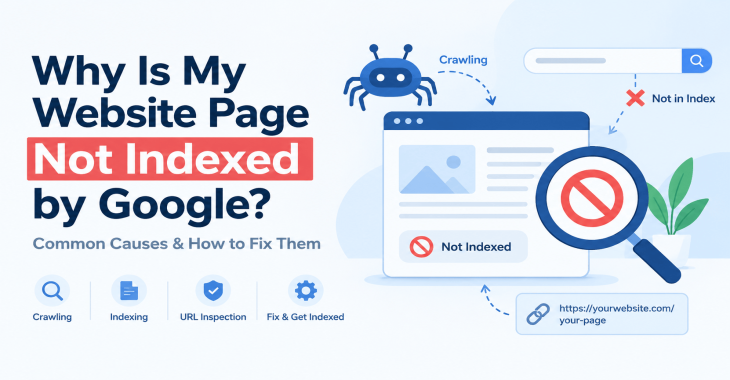
Why Is My Website Page Not Indexed by Google? 12 Reasons & How to Fix It
Posted ::2026-09-24
-
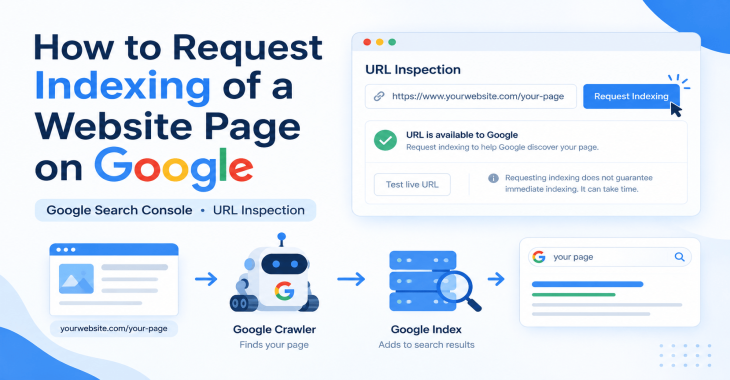
How to Request Indexing of a Website Page on Google?
Posted ::2026-09-19
-
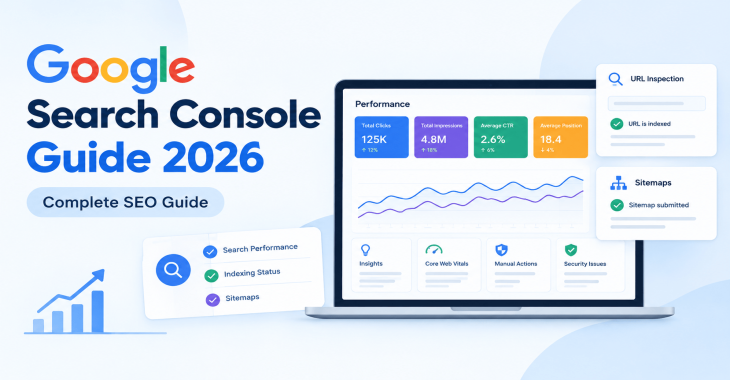
Google Search Console Guide 2026: Complete Beginner’s Guide
Posted ::2026-09-18
-
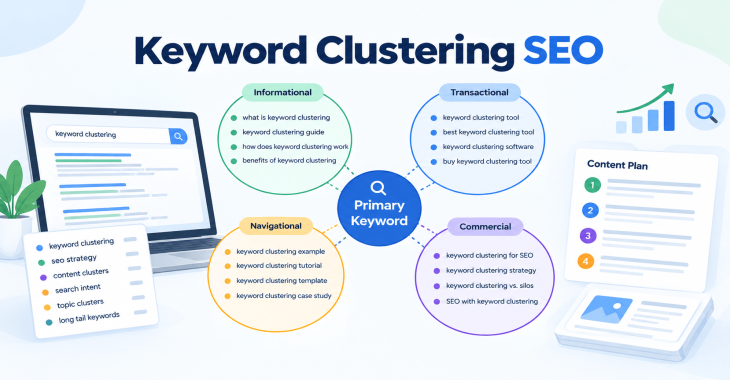
Keyword Clustering SEO: How to Group Keywords for Better Rankings
Posted ::2026-09-12
-
SEO Audit Checklist: 50+ Steps to Audit Your Website
Posted ::2026-09-11


Our FAQ’s
What is digital marketing?
Digital marketing involves marketing to people using Internet-connected electronic devices, namely computers, smartphones and tablets. Digital marketing focuses on channels such as search engines, social media, email, websites and apps to connect with prospects and customers.
What does a digital marketer do?
Digital marketing has evolved to the point where an immense array of specialists consult with brands to develop effective strategies or implement programs. If you’re new to digital marketing, or lack experience or resources, you should consider engaging an experienced and versatile digital marketing consultant.
Would my business benefit from digital marketing?
Definitely. Though companies in many business categories continue to approach digital marketing with skepticism, avoiding digital marketing denies your business access to the media the majority of consumers turn to first and at all hours of the day.
What’s the biggest mistake digital marketers make?
Blowing their own horn. Yes, of course, the primary goal of marketing is to create leads. However, in the age of digital media a brand-centric, salesy approach deflects interest in your company. Make your marketing customer-centric. Second biggest mistake: Far too often, digital marketers start and stop. You need to contribute a steady flow of content to the channels you use.
How often should I update my website?
Websites that go for long periods with no updates and new content are unlikely to perform well or support any useful digital marketing objectives. Though a static website technically qualifies as a website it’s bound to be more than a digital brochure that produces little or no leads.
What do I need to know about mobile?
Mobile phones are the most used technology in the world. Most of your prospects spend the majority of their media time—and hours—using a smartphone. Mobile marketing focuses on mobile strategies like messaging, mobile applications, and mobile websites. A brand that ignores mobile marketing is doomed.
What is content marketing?
Content marketing is the creation and distribution of educational and/or entertaining information assets for the purpose of generating brand awareness, traffic, leads and sales. Marketing content is generally free and does not explicitly promote your brand as an ad would.
What’s involved in creating a content marketing strategy?
A content marketing strategy is a plan for building an audience. Elements of content marketing strategy include establishing objectives, audience personas, a value proposition, content marketing mission statement, a buyer journey map, and plans for creating, promoting and analyzing how content marketing assets and programs perform.
Do I need a blog?
Email, social media, search and other elements of your digital marketing mix will depend on delivering useful content. Though video outlets, podcasts, and media galleries present other options, a blog is by far the most used tactic for distributing marketing content on a channel over which you have complete control.
What content should we create?
There can be no all-encompassing answer to this question except to say you should create content buyers will find relevant and useful. Leading candidates include blog posts, articles, ebooks, infographics, microsites, videos, courses, case studies, newsletters, visuals and various forms of interactive content.
What is SEO?
Search engine optimization (SEO) is the process of using onsite and offsite tactics to help get content presented by a search engine. Done well, the practice increases the quantity and quality of your traffic.
Why is SEO important?
The majority of web traffic is generated by search and those that come by way of search have a greater degree of commercial intent than most other channels.
What is local SEO?
Local SEO is the process of optimizing your online properties to generate traffic from location-based searches. It helps businesses promote products and services to local customers when they need them.
What are keywords?
Keywords are the words and phrases searchers use—usually with search engines—to find relevant pages, images, videos, or any kind of information when looking for answers, knowledge, products, or services. SEO professionals consider keywords and the topics they suggest when optimizing content for search.
What determines search engine rankings?
This question is the source of endless speculation and debate because search engine companies such as Google will not answer it. Experts generally agree rankings are based on relevance and authority, but the factors that determine them are many—and inconsistent. The best way to achieve a high search engine ranking is to create one of the most thorough web pages possible for a specific keyword or topic.
What is PPC?
PPC stands for pay-per-click. Essentially, it’s a way of buying web traffic. Advertisers pay a fee each time one of their ads is clicked. Search engine advertising is the most popular form of PPC, however numerous channels including Facebook now offer PPC ad models.
Why is social media important?
Chances are your audience is active on one or more of the major social networks where billions of people spend time daily. Brands that understand the power of social media marketing and commit resources to it can boost awareness, drive traffic, interact with customers, drive sales, build loyalty, and win advocates.
What is a lead magnet?
A lead magnet is a free offer you make in exchange for an email address (and possibly additional information). The purpose is to inspire prospects to join your email list by offering something of value. Examples include an ebook, guide, report, assessment, cheat sheet, tool, template, webinar, course, or a coupon.
What is a call to action?
A call to action (CTA) is a prompt that instructs the viewer to take a specific action. A call to action is typically written as a command, such as “Buy Now.” In digital marketing a CTA generally takes the form of a button or link.
How long does it take to see results?
Paid digital marketing programs should create results immediately. On the other hand, programs such as content marketing, email list building, and search engine optimization require persistence and patience. You might see some results in a matter of months; however, it’s likely to be six months to a year before you realize some of your traffic and conversion objectives.