

Google Business Profile Categories: The Complete Guide to Choosing the Right Categories
- Kruti Varma /
- 2026-08-08 /
A precise set of Google Business Profile categories helps your listing show up for relevant searches. Choosing the right categories improves visibility and guides customers to the exact services you offer. This guide focuses on how to select and optimize google business profile categories for maximum impact.
In this guide, you’ll learn how to identify core categories, map services to those categories, and manage changes over time. We’ll cover best practices, practical steps, and common pitfalls to avoid.
Understanding Google Business Profile Categories
Categories define what your business does in Google’s index. They influence which searches trigger your listing and how customers navigate your offerings.
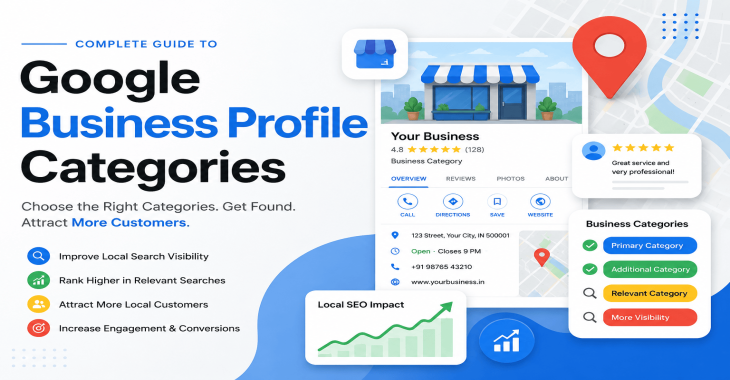
- Primary category: The main descriptor of your business. It appears in search results and on your profile.
- Additional categories: Secondaries that refine what you provide. They help appear for additional relevant queries.
Choosing accurate categories is more than a labeling exercise; it shapes how Google interprets your services and how customers find you.
How Google uses categories
- Matching intent: Categories align your listing with user intent behind queries.
- Feature eligibility: Some categories unlock specific features (e.g., booking, messaging, menus).
- Local relevance: Categories influence local pack rankings and phrase match in search.
How to Choose the Right Primary Category
The primary category should capture your core offering. It acts as the anchor for your entire profile.
- Start with your main product or service: If you run a bakery, the primary category might be "Bakery."
- Consider customer perception: What would a typical customer search for to find you?
- Be precise but encompassing: If you offer multiple strong specialties, select the one that best represents your core business.
Practical steps:
1. List your top three core offerings.
2. Check Google’s predefined categories for exact phrasing.
3. Choose the category that best maps to your primary revenue driver.
Selecting Secondary Categories: Broad vs. Specific
Secondary categories broaden your reach without diluting relevance. Use them to reflect additional services, locations, or niches.
- Broad categories capture range: If you own a cafe offering coffee, pastries, and light meals, add categories for “Coffee shop” and “Bakery” if they apply.
- Specific categories for niche services: For a law practice, add “Law Office” and “Estate planning attorney” or “Civil rights attorney” as appropriate.
- Avoid category sprawl: Too many secondaries can confuse Google and users. Aim for a tight, meaningful set.
Guidelines:
- Tie each secondary category to a distinct service or offering.
- Remove deprecated or low-traffic categories during cleanups.
- Monitor performance; prune underperforming categories quarterly.
Mapping Services to Categories
Your services should map cleanly to the categories you choose. This alignment improves relevance signals to Google.
- Create a service inventory: List all products, offerings, and service lines.
- Allocate services to primary or secondary categories: If a service fits a category, assign it under that label.
- Consider service areas: If you operate in multiple locations, ensure category selections stay consistent across profiles.
Tips:
- Use exact terminology where possible. If you offer “private dining” but no “Restaurant,” ensure your categories reflect that core service.
- For service businesses, include variations of your main service in the service section and reflect the category that best represents the business.
Special Categories and Feature Eligibility
Some categories unlock special features or display formats in Google Business Profile (GBP).
- Booking integrations: Certain categories support appointment scheduling directly from the profile.
- Menu or catalog displays: Food service and retail categories may enable menu or product listing sections.
- Service-area vs. storefront: If you operate a distance-based service, adjust categories to reflect service areas rather than a storefront.
Action items:
- Review feature availability for each category you consider.
- Test new features after you update categories to validate they render correctly.
- Document any category changes and their impact on feature access.
Handling Multi-Location or Franchise Profiles
Multi-location businesses require careful category management to avoid conflicting signals.
- Consistent core category: Use the same primary category across all locations when possible.
- Local variations: If a location has a distinct service focus, add location-specific secondary categories.
- Manage duplicate profiles: If you maintain separate profiles for each location, ensure categories are aligned with local offerings.
Best practices:
- Review each location’s search query data to refine categories over time.
- Avoid listing stray or irrelevant categories per location.
Managing Category Changes Over Time
Business offerings evolve, and so should your GBP categories. Regular audits help maintain relevance.
- Schedule quarterly reviews: Reassess primary and secondary categories against current services.
- Track keyword shifts: Note changes in user search behavior and adjust categories accordingly.
- Phase in updates: When changing primary categories, plan for potential short-term ranking fluctuations as Google reindexes.
Process:
1. Inventory current categories and associated services.
2. Identify new offerings to add or old ones to retire.
3. Implement changes in GBP and monitor impact over 4–8 weeks.
Common Pitfalls and How to Avoid Them
- Inaccurate primary category: Choose a label that doesn’t reflect your core business. This hurts discoverability and confusion.
- Category stuffing: Adding too many categories dilutes relevance. Stick to a concise set.
- Ignoring category relevance for services: Ensure every service has a logical home within your category structure.
- Neglecting feature implications: Some categories enable essential features; don’t overlook these as you adjust.
Strategies to mitigate risk:
- Start with a strong, well-supported primary category.
- Add only 2–4 secondary categories that cover distinct offerings.
- Validate by checking search results and user inquiries after updates.
Measuring Impact: How to Assess Category Effectiveness
Track indicators that reflect how categories influence visibility and engagement.
- Impressions and clicks: Monitor changes in listing impressions and profile visits.
- Queries leading to profile: Review search terms that trigger your listing to confirm alignment.
- Customer actions: Assess increases in bookings, calls, or messages after category updates.
- Conversion quality: Evaluate the relevance of leads generated post-update.
Tips for measurement:
- Use GBP insights alongside Google Analytics and site analytics for a full picture.
- Run two-week baseline periods before and after changes to detect meaningful shifts.
- Document outcomes to inform future category decisions.
Practical Checklist for Implementing Changes
- Define core offerings and map to a primary category.
- Select 2–4 well-aligned secondary categories.
- Review and update service listings to reflect category choices.
- Confirm feature availability tied to chosen categories.
- Audit location-specific profiles for consistency.
- Monitor performance for 4–8 weeks and adjust as needed.
Common sequence:
- Week 0: Decide primary and secondary categories.
- Week 1: Update GBP and services.
- Week 2–4: Observe feature behavior and user interactions.
- Week 4–8: Fine-tune based on data.
Examples: How Different Businesses Navigate Categories
- Local bakery: Primary category “Bakery”; secondary categories “Cafe,” “Coffee shop,” “Custom cake shop.”
- Law firm with specialties: Primary category “Law Firm”; secondary “Estate planning attorney,” “Civil rights attorney.”
- Home services contractor: Primary “Home improvement store” or “Contractor” depending on core offering; secondary “Plumber,” “Electrical contractor” as applicable to services provided.
Each example shows aligning the primary category with the business’s core value while using secondary categories to reflect supplementary offerings.
Tools and Resources for Category Management
- Google Business Profile Manager: Core tool for adding and editing categories.
- GBP Insights: Performance data to gauge the impact of category changes.
- Local discovery dashboards: Supplemental data to understand how customers find your listing.
- Documentation and checklists: Keep a running log of category decisions and rationale.
Tips:
- Maintain a single source of truth for category decisions to avoid conflicting updates.
- Use a change log to document why categories were added or removed.
Final Recommendations
- Start with a precise primary category that best represents your core offering.
- Add a small set of relevant secondary categories to cover distinct services.
- Regularly audit categories in line with service evolution and customer behavior.
- Track key metrics to evaluate the impact and guide future decisions.
Takeaways:
- The right google business profile categories structure directs visibility toward your strongest offerings.
- Balanced category selection improves both discoverability and user comprehension.
- Ongoing management and measurement ensure your profile stays aligned with changing services and demand.
Recent Blogs
-
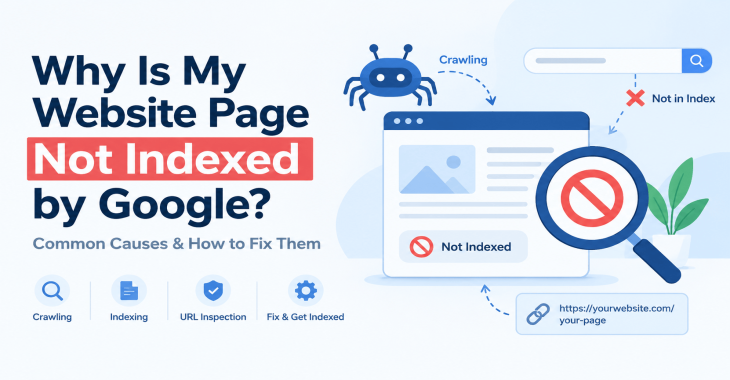
Why Is My Website Page Not Indexed by Google? 12 Reasons & How to Fix It
Posted ::2026-09-24
-
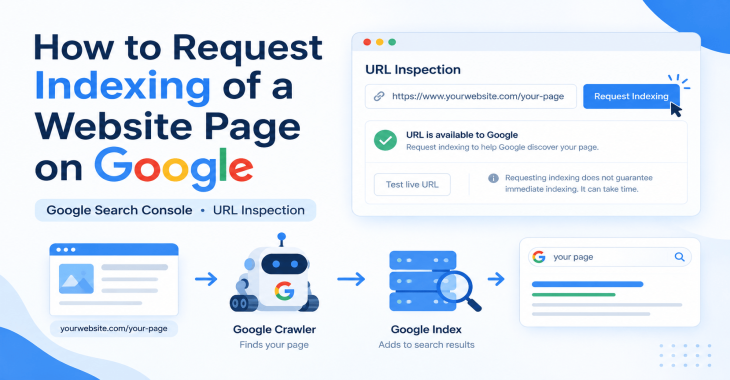
How to Request Indexing of a Website Page on Google?
Posted ::2026-09-19
-
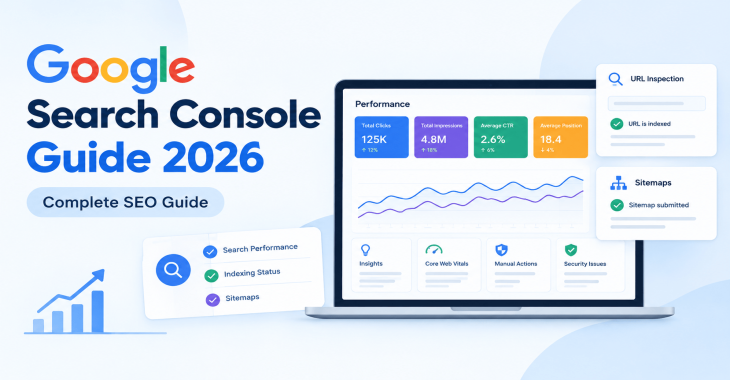
Google Search Console Guide 2026: Complete Beginner’s Guide
Posted ::2026-09-18
-
Keyword Clustering SEO: How to Group Keywords for Better Rankings
Posted ::2026-09-12
-
SEO Audit Checklist: 50+ Steps to Audit Your Website
Posted ::2026-09-11


Our FAQ’s
What is digital marketing?
Digital marketing involves marketing to people using Internet-connected electronic devices, namely computers, smartphones and tablets. Digital marketing focuses on channels such as search engines, social media, email, websites and apps to connect with prospects and customers.
What does a digital marketer do?
Digital marketing has evolved to the point where an immense array of specialists consult with brands to develop effective strategies or implement programs. If you’re new to digital marketing, or lack experience or resources, you should consider engaging an experienced and versatile digital marketing consultant.
Would my business benefit from digital marketing?
Definitely. Though companies in many business categories continue to approach digital marketing with skepticism, avoiding digital marketing denies your business access to the media the majority of consumers turn to first and at all hours of the day.
What’s the biggest mistake digital marketers make?
Blowing their own horn. Yes, of course, the primary goal of marketing is to create leads. However, in the age of digital media a brand-centric, salesy approach deflects interest in your company. Make your marketing customer-centric. Second biggest mistake: Far too often, digital marketers start and stop. You need to contribute a steady flow of content to the channels you use.
How often should I update my website?
Websites that go for long periods with no updates and new content are unlikely to perform well or support any useful digital marketing objectives. Though a static website technically qualifies as a website it’s bound to be more than a digital brochure that produces little or no leads.
What do I need to know about mobile?
Mobile phones are the most used technology in the world. Most of your prospects spend the majority of their media time—and hours—using a smartphone. Mobile marketing focuses on mobile strategies like messaging, mobile applications, and mobile websites. A brand that ignores mobile marketing is doomed.
What is content marketing?
Content marketing is the creation and distribution of educational and/or entertaining information assets for the purpose of generating brand awareness, traffic, leads and sales. Marketing content is generally free and does not explicitly promote your brand as an ad would.
What’s involved in creating a content marketing strategy?
A content marketing strategy is a plan for building an audience. Elements of content marketing strategy include establishing objectives, audience personas, a value proposition, content marketing mission statement, a buyer journey map, and plans for creating, promoting and analyzing how content marketing assets and programs perform.
Do I need a blog?
Email, social media, search and other elements of your digital marketing mix will depend on delivering useful content. Though video outlets, podcasts, and media galleries present other options, a blog is by far the most used tactic for distributing marketing content on a channel over which you have complete control.
What content should we create?
There can be no all-encompassing answer to this question except to say you should create content buyers will find relevant and useful. Leading candidates include blog posts, articles, ebooks, infographics, microsites, videos, courses, case studies, newsletters, visuals and various forms of interactive content.
What is SEO?
Search engine optimization (SEO) is the process of using onsite and offsite tactics to help get content presented by a search engine. Done well, the practice increases the quantity and quality of your traffic.
Why is SEO important?
The majority of web traffic is generated by search and those that come by way of search have a greater degree of commercial intent than most other channels.
What is local SEO?
Local SEO is the process of optimizing your online properties to generate traffic from location-based searches. It helps businesses promote products and services to local customers when they need them.
What are keywords?
Keywords are the words and phrases searchers use—usually with search engines—to find relevant pages, images, videos, or any kind of information when looking for answers, knowledge, products, or services. SEO professionals consider keywords and the topics they suggest when optimizing content for search.
What determines search engine rankings?
This question is the source of endless speculation and debate because search engine companies such as Google will not answer it. Experts generally agree rankings are based on relevance and authority, but the factors that determine them are many—and inconsistent. The best way to achieve a high search engine ranking is to create one of the most thorough web pages possible for a specific keyword or topic.
What is PPC?
PPC stands for pay-per-click. Essentially, it’s a way of buying web traffic. Advertisers pay a fee each time one of their ads is clicked. Search engine advertising is the most popular form of PPC, however numerous channels including Facebook now offer PPC ad models.
Why is social media important?
Chances are your audience is active on one or more of the major social networks where billions of people spend time daily. Brands that understand the power of social media marketing and commit resources to it can boost awareness, drive traffic, interact with customers, drive sales, build loyalty, and win advocates.
What is a lead magnet?
A lead magnet is a free offer you make in exchange for an email address (and possibly additional information). The purpose is to inspire prospects to join your email list by offering something of value. Examples include an ebook, guide, report, assessment, cheat sheet, tool, template, webinar, course, or a coupon.
What is a call to action?
A call to action (CTA) is a prompt that instructs the viewer to take a specific action. A call to action is typically written as a command, such as “Buy Now.” In digital marketing a CTA generally takes the form of a button or link.
How long does it take to see results?
Paid digital marketing programs should create results immediately. On the other hand, programs such as content marketing, email list building, and search engine optimization require persistence and patience. You might see some results in a matter of months; however, it’s likely to be six months to a year before you realize some of your traffic and conversion objectives.